How to Export Your Leave Data From Personio

Blasko Sarcevic
Published
A practical guide to exporting your leave and absence data cleanly from Personio before you move to a dedicated system.
Topic
Topic: a clean data export before migration.
How do I export my leave data from Personio?
To move your leave and absence data out of Personio, export it from the reporting area as a spreadsheet before you start any migration. Personio lets administrators generate absence and employee data exports in common spreadsheet formats, so the practical steps are to assemble an employee list with start dates, export current absence and balance records, and export the leave-type definitions so the receiving system can map them. The fields that matter most for a clean import are employee identifier, leave type, balance as of a cut-off date, and any carry-over. Keeping a single cut-off date for every balance export prevents drift. Once exported, validate row counts and a sample of balances against the live system, then map each Personio leave type to the destination equivalent before importing. Always keep the original export file as an immutable backup. Exact menu labels and file formats change between Personio releases, so Personio's own documentation is the reference for the current path.
Which fields to export before a migration
Start with a complete employee list including start dates, then the current absence and balance records, and finally the leave-type definitions. The four fields that matter most for a clean import are the employee identifier, the leave type, the balance at a fixed cut-off date, and any carry-over from the prior year.
Export everything against the same cut-off date. Mixing dates is the most common cause of balances that do not reconcile in the destination system.
| Field | Why it matters for the import |
|---|---|
| Employee identifier | Ties each balance unambiguously to the right person |
| Leave type | Lets you map to the destination's leave types |
| Balance at cut-off date | A single cut-off date prevents balance drift |
| Carry-over from prior year | Otherwise carried-over days are lost in the move |
| Start date | Basis for proration and waiting periods |
How to validate the export and avoid drift
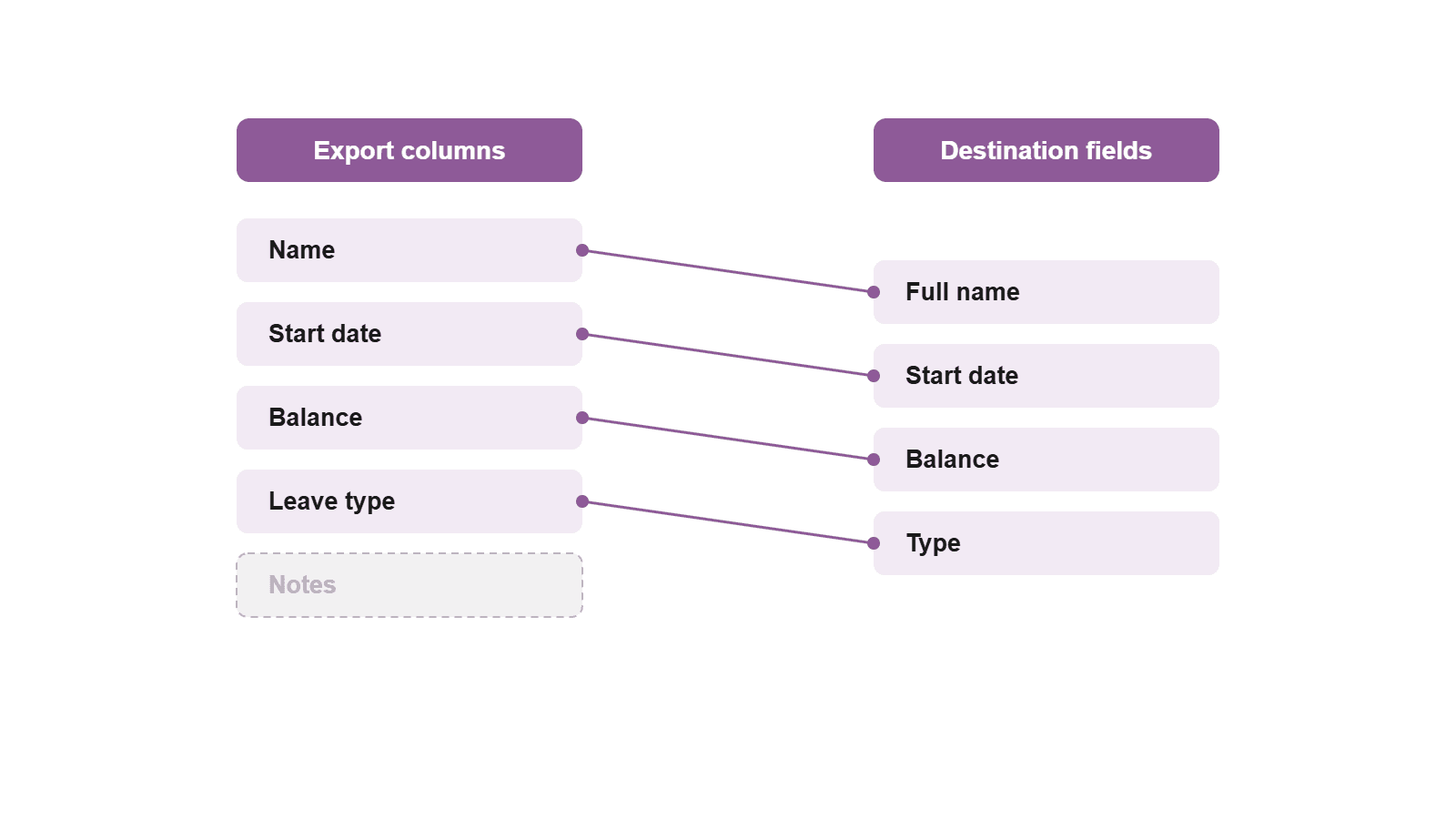
After exporting, validate the row count against the number of active employees and spot-check a sample of balances against the live system. If a sampled balance does not match, the cut-off date or a pending request is usually the cause.
Keep the original export file as an immutable backup before you transform anything. Work only on copies so you can always trace a number back to its source.
Map leave types before you import
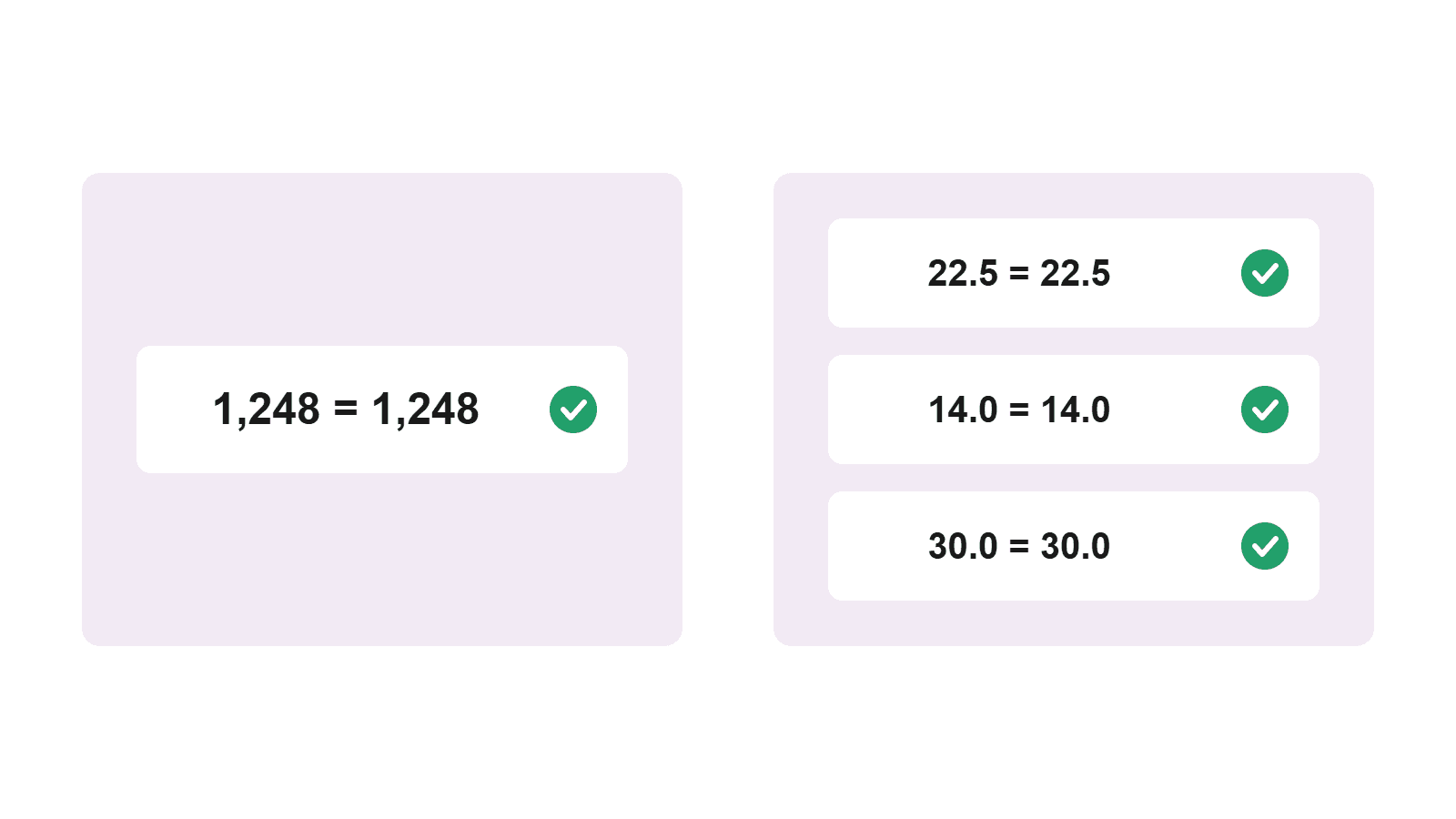
Each Personio leave type needs a matching type in the destination before import. Map them explicitly rather than relying on names to line up, because labels rarely match one to one.
Personio's current export menu labels and supported file formats are documented in Personio's own help center, since these change over time.
Category-level guide. Specific Personio steps and formats change over time; use Personio's own documentation for the exact current path.
Frequently asked questions
- Can you export absence data from Personio?
- Yes. Administrators can export absence and employee data as a spreadsheet. The exact menu labels change over time, so check them in your version of Personio.
- What file format does the export use?
- Typically a common spreadsheet format. Confirm the currently supported format directly in Personio.
- Which fields do I need for a clean migration?
- Employee identifier, leave type, balance as of a fixed cut-off date, carry-over from the prior year, and the start date. These let the destination rebuild balances correctly.
- How do I avoid balance drift during export?
- Use the same cut-off date for every balance export, and validate a sample against the live system after exporting.
About the author
Blasko Sarcevic
Founder, Time-Out Zone
Connect on LinkedIn Connect on LinkedIn
Blasko writes about leave management, policy design, and running time-off operations at scale.
Related
Ready for a clean switch?
See how Time-Out Zone manages imported balances, leave types, and carry-over with a transparent audit.