Manager reports
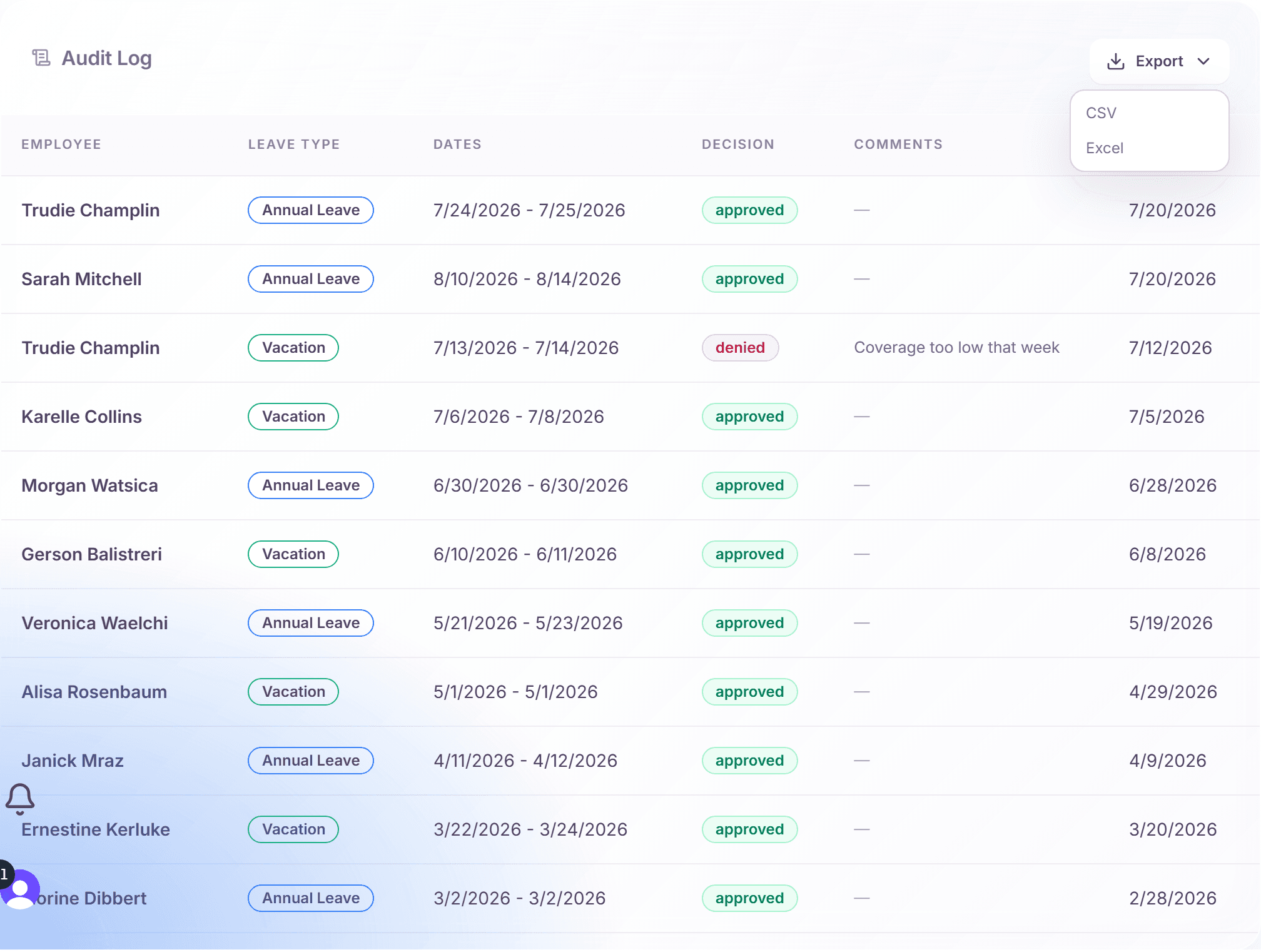
Manager reporting lives in the "Audit" tab of the manager dashboard: a complete, exportable log of every approval decision in your scope. Company-wide analytics and reports are an admin surface. As a manager, the Audit tab is your record.
Every entry answers the questions that matter later: who requested what, who decided, when, and with which comments.
Open the audit log
- On the manager dashboard, switch to the "Audit" tab.
- The "Audit Log" table lists your team's decisions with columns: Employee, Leave Type, Dates, Decision, Comments, and When.
Entries carry context badges where relevant, for example "Multi-step" for chain decisions or "Coverage override" when a warning was overridden.
Export to CSV or Excel
- Click "Export" above the table.
- Choose "CSV" or "Excel".
- The file downloads with the full approval history of your scope, ready for HR, payroll, or your own records.
What the log captures
- Approvals and denials, including the required denial reasons.
- Deputy decisions, attributed to the deputy who acted.
- Coverage overrides: when a warning was consciously overridden.
- Multi-step progress, so you can trace a request through its chain.
- Revocations of previously approved requests.
Reporting beyond your team
Company-wide analytics (absence trends, balances across departments, liability reports) live on the admin dashboard's Analytics and Reports tabs and are an admin permission. If you need those numbers, ask an admin or request the reporting permission for your role.
Frequently asked questions
- Why do I not see a "Reports" tab?
- There is none on the manager dashboard by design. Manager reporting is the Audit tab with its CSV and Excel export; aggregated analytics are an admin surface.
- How far back does the audit log go?
- All the way: decisions are never deleted. The export contains the full history of your current manager scope.
- Can employees see this log?
- No. Employees see only their own request history. The audit log covers your team and is visible to you, your deputies during cover, and admins.