Calendar feed
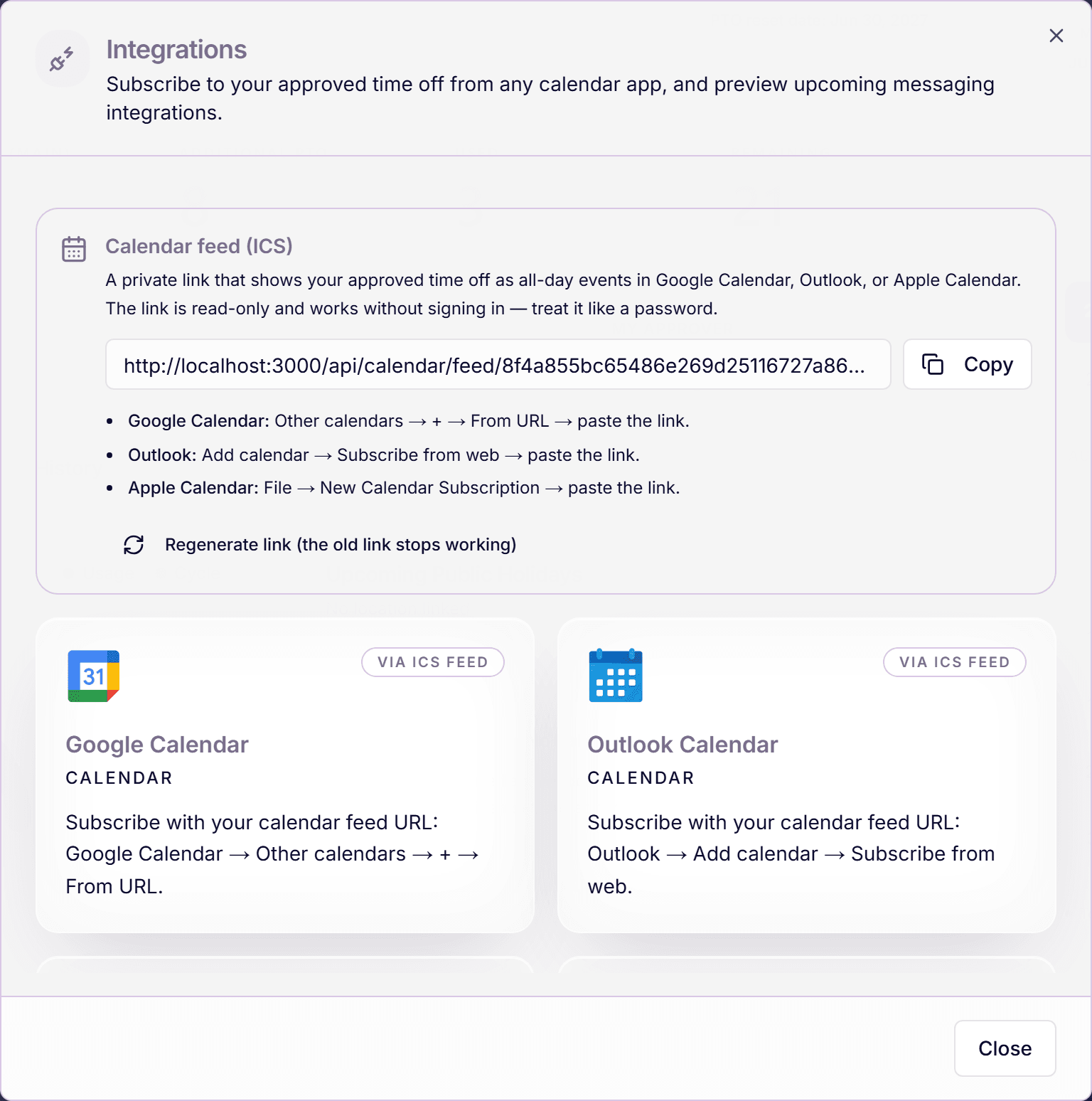
The calendar feed puts your approved time off into Google Calendar, Outlook, or Apple Calendar as all-day events, through a private subscription link, with no sign-in and nothing to install. Once subscribed, your calendar updates itself.
It is read-only and personal: the feed shows your own approved absences, covering roughly six months back and twelve months ahead.
Get your feed URL
- Click the plug icon in your avatar menu ("Integrations").
- In the "Calendar feed (ICS)" section, click "Get my calendar feed URL".
- Click "Copy". This link is yours alone; treat it like a password.
Subscribe in your calendar app
- Google Calendar: "Other calendars → + → From URL → paste the link."
- Outlook: "Add calendar → Subscribe from web → paste the link."
- Apple Calendar: "File → New Calendar Subscription → paste the link."
Calendar apps refresh subscriptions on their own schedule: Google can take several hours. A newly approved request may not appear instantly; that is the calendar app, not the feed.
If the link leaks, rotate it
The URL contains a long random token: anyone holding it can read your absence dates. If it ends up somewhere it should not, click "Regenerate link (the old link stops working)". The old URL dies immediately; subscribe again with the new one. Only one link is live per person at a time.
What the feed does and does not include
- Included: your approved requests, as all-day events.
- Not included: pending or denied requests, and other people's absences.
- One direction only: the calendar reads from Time Out Zone; deleting the event in your calendar changes nothing here.
- The same modal shows "Google Calendar" and "Outlook Calendar" as "Via ICS feed", and Slack and Microsoft Teams as "Coming soon".
Frequently asked questions
- Can I get a feed of my whole team's absences?
- Not as an ICS feed: each link carries only that person's approved time off. For the team view, managers use the team calendar in the app.
- Why is my new request not in the calendar?
- Two usual reasons: the request is still pending (only approved time off is in the feed), or your calendar app has not refreshed yet. Both resolve themselves.
- Is there two-way sync with Google or Outlook?
- No, the feed is a one-way, read-only subscription. There is no OAuth connection that writes events into Time Out Zone or pushes changes back to your calendar.