Locations and holidays
Locations anchor your people geographically: they carry the holiday calendar, serve as the compliance fallback in policy resolution, and set defaults like the time zone. Holiday sets are the calendars themselves: reusable lists of public holidays that attach to locations.
Both live in the Location view of Settings, with a toggle between the two: "Switch to Holiday Sets" and "Switch to Locations".
Create a location
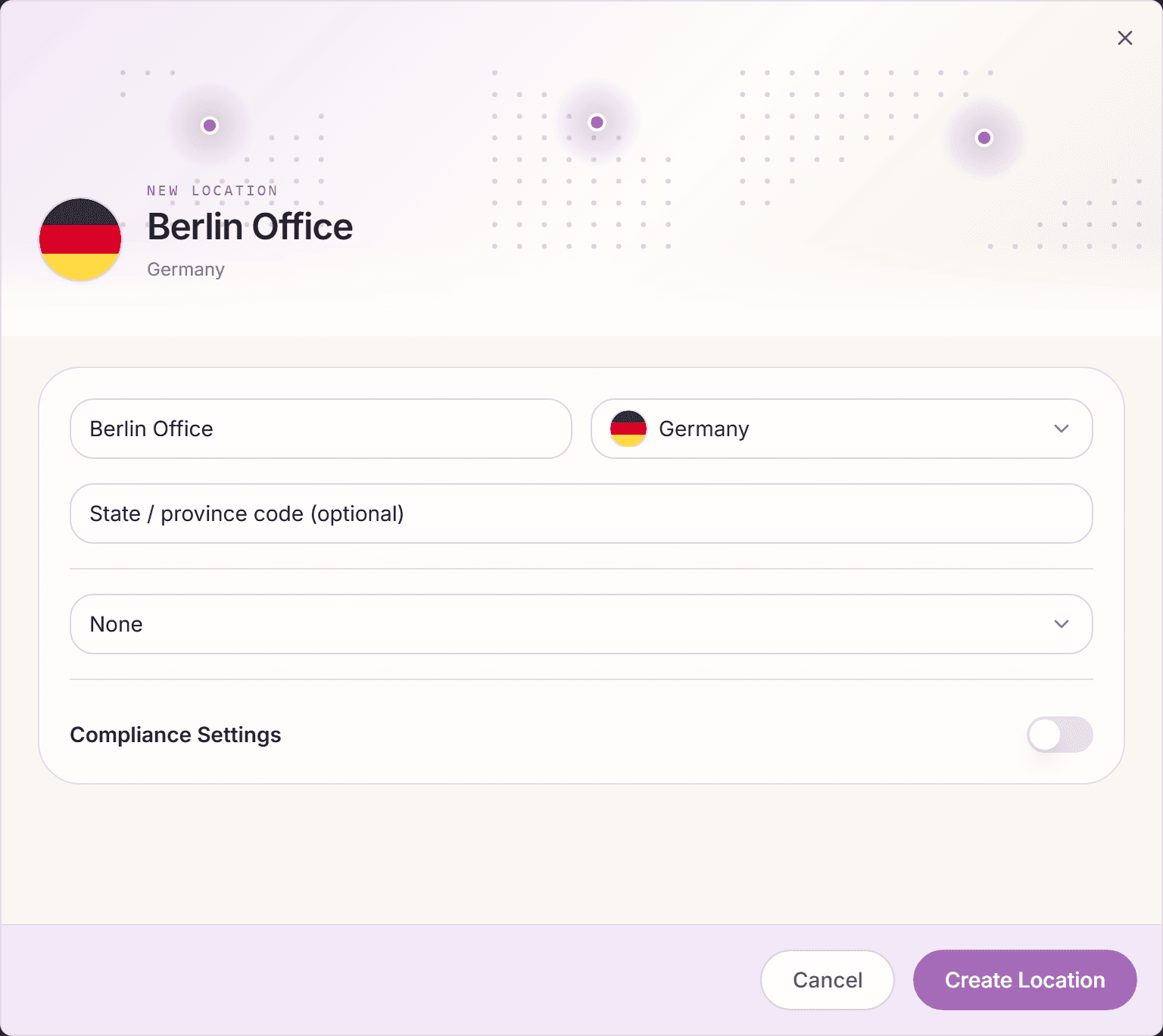
- Open Settings, Location, and click "Add Location".
- Pick the country. The location name defaults to the country name if you leave it empty, and the time zone is derived automatically. A "Sublocation" field appears for countries with regional subdivisions.
- Optionally attach a "Holiday Calendar" right away (clearable with "None") and compliance settings.
- Click "Create Location".
Build a holiday set
- Toggle to holiday sets with "Switch to Holiday Sets" and click "Add Holiday Set".
- Name the calendar ("Calendar Name"), pick country and year, and click "Create Holiday Set".
- Add holidays inline with "Add Holiday": name, date, type ("Public", "Company", or "Regional"), and the "Recurring Annually" switch for holidays that repeat every year.
- Or click "Import" to pull the national holidays for a country and year, review the preview, and confirm.
"Company" holidays are your own: an office closure day works exactly like a public holiday for everyone on that calendar.
Connect people, locations, and calendars
- Attach a set to a location via the location's holiday calendar field or the "Assign Holiday Set" action on the location card.
- Assign people to a location with "Assign Employees" (or the "Location" field when inviting, or the bulk CSV's "Location Name (optional)" column).
- A location can also carry a policy ("Assign Policy"), the compliance fallback that applies when no department, team, tag, or person rule exists, and a work-schedule default ("Assign Work Schedule").
What holidays do at runtime
- Requests: holiday dates are excluded automatically. They never count against anyone's allowance, and the request summary shows the exact charged days.
- Recurring requests: occurrences landing on holidays are flagged and can be skipped automatically.
- Team calendar: holidays show with the "Holiday" marker, and affected people count as non-working, not absent.
- Different locations, different calendars: a Munich holiday does not affect your Vienna team. Each person follows their own location's calendar.
Frequently asked questions
- Someone moved offices. What do I need to update?
- Change their location on their profile. Holiday calendar, compliance fallback, and location defaults follow automatically from the new location.
- What happens to a holiday on a weekend?
- Nothing needs configuring: a holiday only skips the charge when it lands on one of the person's scheduled working days. On a non-working day it changes nothing.
- Do I need a new holiday set every year?
- Holidays marked "Recurring Annually" roll forward on their own. Only movable holidays (like Easter-dependent dates) need a yearly touch. The import gets them for the new year in one step.