Recurring and bulk requests
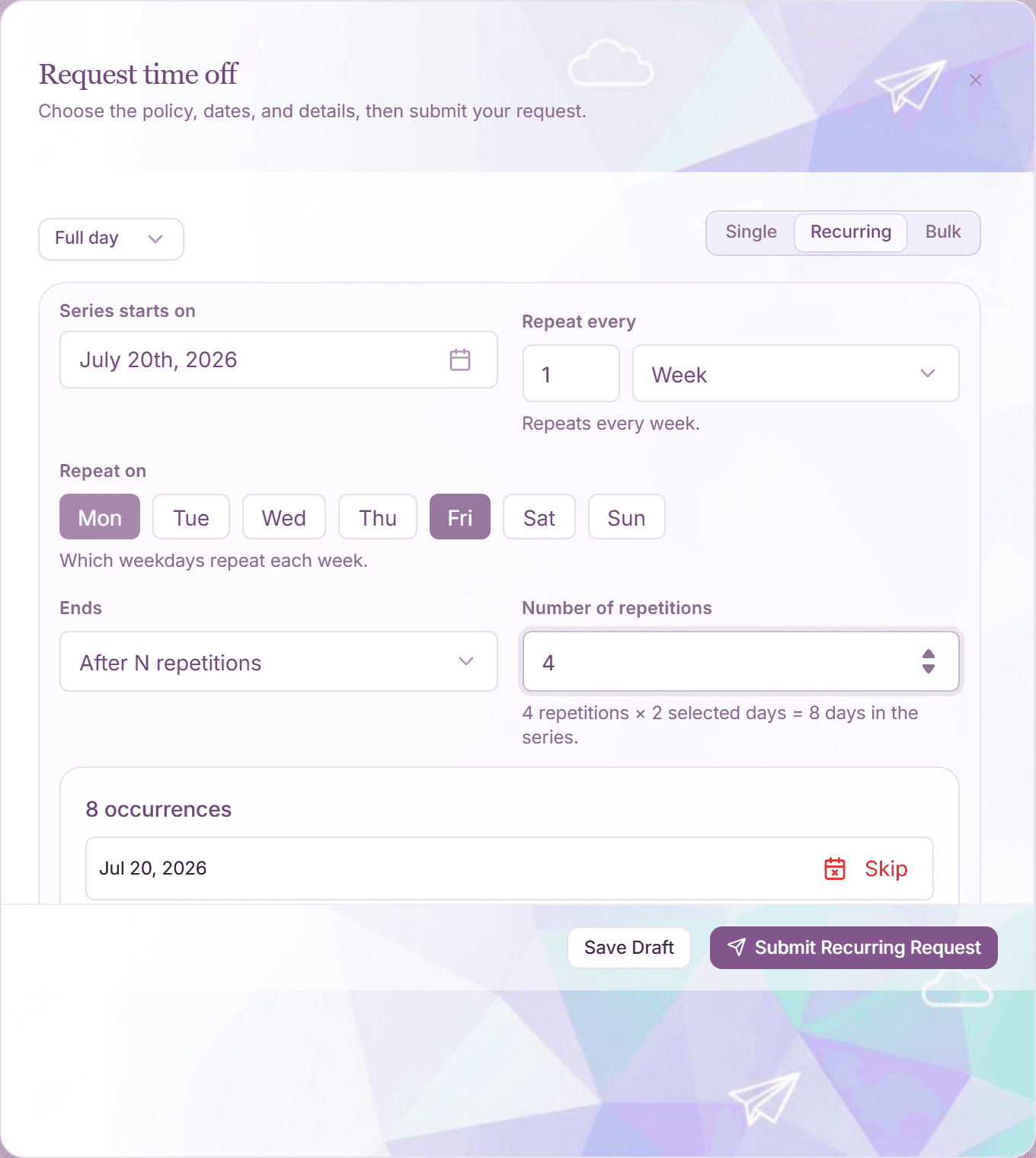
The "Request time off" dialog has three modes at the top: "Single", "Recurring", and "Bulk". Recurring builds a repeating pattern (every Friday, the first Monday of each month); Bulk submits several separate dates in one go.
Both modes run the same policy checks as a single request: every generated date is validated individually.
Recurring: a repeating pattern
- Open the request dialog with "Request Time Off" and switch to "Recurring".
- Pick the leave type and set "Series starts on".
- Configure "Repeat every": an interval plus a unit: "Day(s)", "Week(s)", "Month(s)", or "Year(s)".
- For weekly patterns, tick the weekdays under "Repeat on" (Mon through Sun). For monthly patterns, choose "On specific days" or a rule like "On the First/Second/Third/Fourth/Last" plus a weekday.
- Set how the series ends: "After N repetitions" or "On a specific date".
- Review the occurrence preview. You can skip individual dates, and national holidays can be excluded automatically.
- Click "Submit Recurring Request".
A recurring series can generate up to 120 occurrences per submission.
Bulk: several separate dates at once
- Switch the dialog to "Bulk".
- Add rows with "Add row". Each row has its own dates, duration, and an optional reason and coverage.
- Alternatively use the range builder with "Date Range" plus "Start Day Coverage" / "End Day Coverage" ("Full day" or "Half day") for trips that start or end with a half day.
- Click "Submit Bulk Requests".
Bulk mode supports up to 20 requests per submission. Coverage is set per row: rows without coverage do not inherit it from other rows.
How the results appear
- Each occurrence or row becomes its own request, marked with a "Recurring" or "Bulk" badge in your History tab.
- Your approver can decide each request on its own: a conflict on one date does not block the rest.
- Drafts work in both modes: "Save Draft" keeps the whole series or batch for later.
Frequently asked questions
- What happens when one date in the series lands on a holiday?
- The occurrence preview flags it and the date can be excluded automatically. Holidays never count against your allowance.
- Can I cancel just one date of a recurring series?
- Yes. Every occurrence is an individual request, so you withdraw or cancel single dates without touching the rest of the series.
- Does a bulk submission need enough balance for all rows?
- Yes. The total of all rows is validated against your available balance before anything is submitted, and the dialog tells you exactly how many days the batch will charge.