Work schedules
A work schedule defines which weekdays count as working days. It drives request math (non-working days are never charged) and availability (a scheduled day off is not an absence). The default is Monday to Friday.
Schedules follow the same inheritance as policies: you set a default high up and override only where reality differs, down to a single person.
Where schedules are assigned
There is no separate work-schedules settings page; the "Assign Work Schedule" dialog opens from the level you want to configure:
- A person: the "Work schedule" card on their profile.
- A team or department: "Assign Work Schedule" in the row menu of the Organization view.
- A location: the same action on the location card.
- A tag: "Assign work schedule" on tag cards in Advanced Settings.
Resolution follows the standard order: Person over Tag over Team over Department over Location, with Monday-Friday as the company default when nothing is set.
Set a schedule
- Open "Assign Work Schedule" at the chosen level.
- Toggle the working days with the "Mon" through "Sun" chips: selected days are the working days.
- The dialog tells you what currently applies: "Direct override set on this level." or "Inherited: no override on this level (higher levels or the company default apply)."
- Save, or clear the override to fall back to inheritance (confirmed by "Work-schedule override removed").
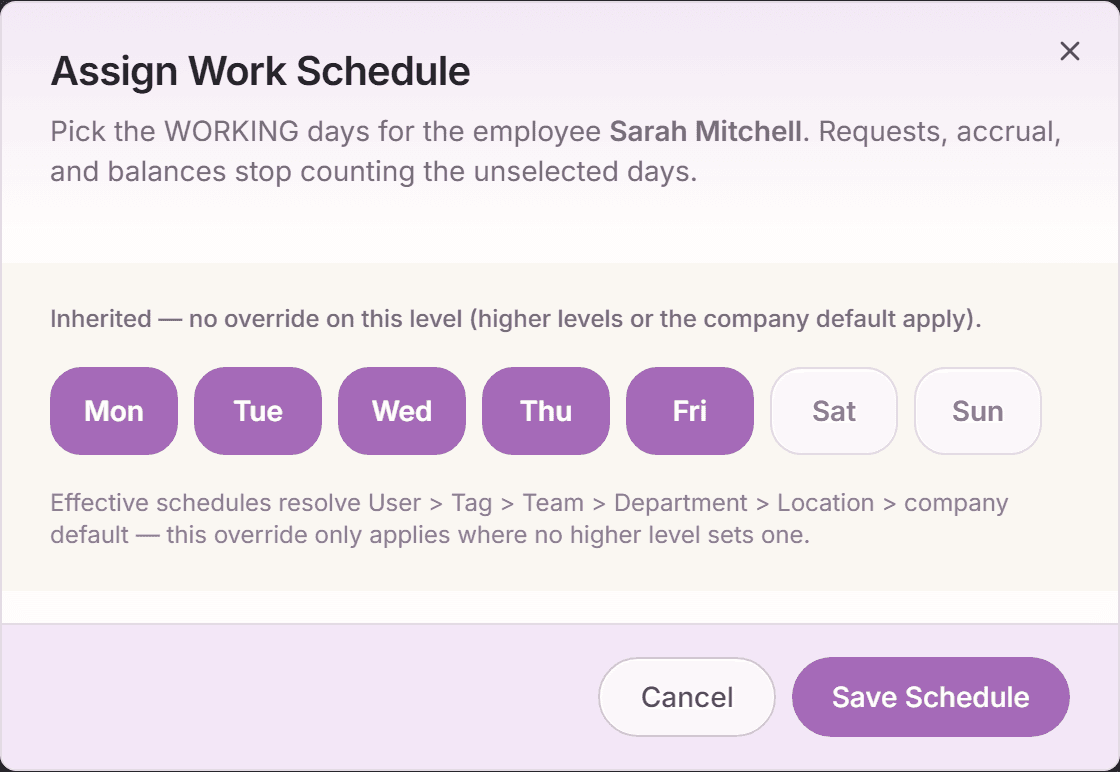
What the schedule changes
- Request math: a Monday-to-Sunday request on a Monday-to-Friday schedule charges 5 days, not 7. The request summary always shows the charged days before submitting.
- Part-time: someone working Monday to Wednesday is charged only for those days; a Thursday request would not even make sense and is not charged.
- Manager views: scheduled days off count as non-working in "Available now" and the team calendar, not as absence.
- Holidays: a public holiday only skips a charge when it lands on a scheduled working day.
Weekly hours are separate
The "Weekly hours" field on invitations and profiles records contractual hours per week (for reporting and hour-based requests). The work schedule decides which days are working days. The two complement each other and are set independently.
Frequently asked questions
- We have a four-day week in one team. One setting?
- Yes: "Assign Work Schedule" on that team, deselect Friday, done. Every member inherits it unless they carry a personal override.
- Does changing a schedule affect existing approved requests?
- Approved requests keep the days they were charged. The new schedule applies to new requests and to availability views going forward.
- Can employees see their own schedule?
- Yes. On their profile, and it is visible in effect everywhere: the request calendar treats their non-working days accordingly.