Departments and teams
The Organization view in Settings holds your structure: departments with their teams, plus standalone teams that configure their defaults directly. Structure is not just labels: departments and teams are levels in policy resolution and define manager scope.
Teams come in two kinds: functional teams (the real organizational unit, can hold policies and approvers) and project teams (reporting-only groupings).
Create departments and teams
- Open Settings and switch to the Organization view.
- Click "New department" or "New team". The dialog asks for the name and, for teams, the "Functional Team" switch and an optional parent department.
- Teams without a department appear under "Standalone Teams" and configure their defaults directly.
Keep the "Functional Team" switch on for real org units. Project teams show a "Project" badge and "N/A (project team)" in the policy card: they cannot hold a time-off policy.
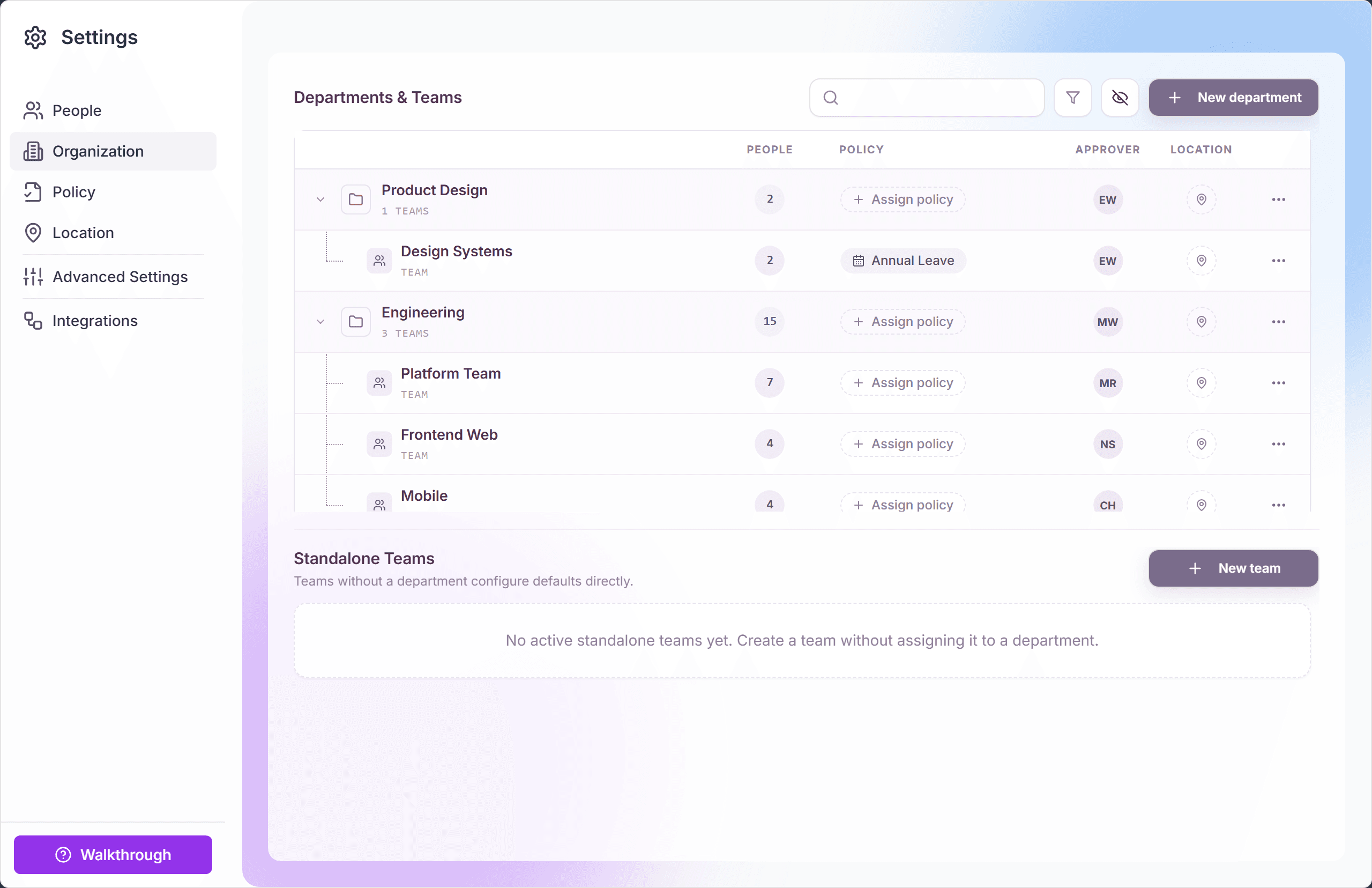
Manage an entity
Each row has an overflow menu with the everyday actions:
- "Edit details..." opens the entity dialog with tabs: "Overview", "Members", "Teams" (departments only), and "Inheritance".
- "Move into department..." / "Make standalone" reorganize teams without touching their members or policies.
- "Assign Work Schedule" sets the working-days default for the whole unit.
- "Archive" retires a unit (confirmed by "Archive department" / "Archive team"); restore or permanently delete from the archived state.
Approvers and policies
- The Overview tab shows the unit's "Primary approver": for teams this is the team lead who receives their members' requests (unless an approval chain overrides it).
- The policy card on Overview is read-only; assignment happens from the organization table via the "Policy" dialog with "Assign Policy" / "Remove Policy".
- The "Inheritance" tab shows the resolution chain with the "Effective" badge: the fastest way to see what a unit's members actually get.
How structure drives behavior
- Policy resolution: team assignments beat department assignments, which beat location defaults.
- Manager scope: a team lead's manager dashboard covers exactly their teams: pending queue, coverage, audit log.
- Coverage rules and the team calendar operate per team.
- Bulk invite CSV can pre-place people with "Department Name (optional)" and "Team Name (optional)" columns.
Frequently asked questions
- What is a project team good for if it cannot hold a policy?
- Cross-cutting visibility: a project team groups people from several functional teams for reporting and calendars without disturbing policy resolution or approval routing.
- What happens to members when I archive a team?
- Members keep their accounts and history; they simply lose the team assignment, and policy resolution falls back to their department or location. The archived team can be restored intact.
- Can a person be in several teams?
- A person has one functional team (the policy- and approval-relevant home) but can appear in project teams on top for reporting.