Your profile and work schedule
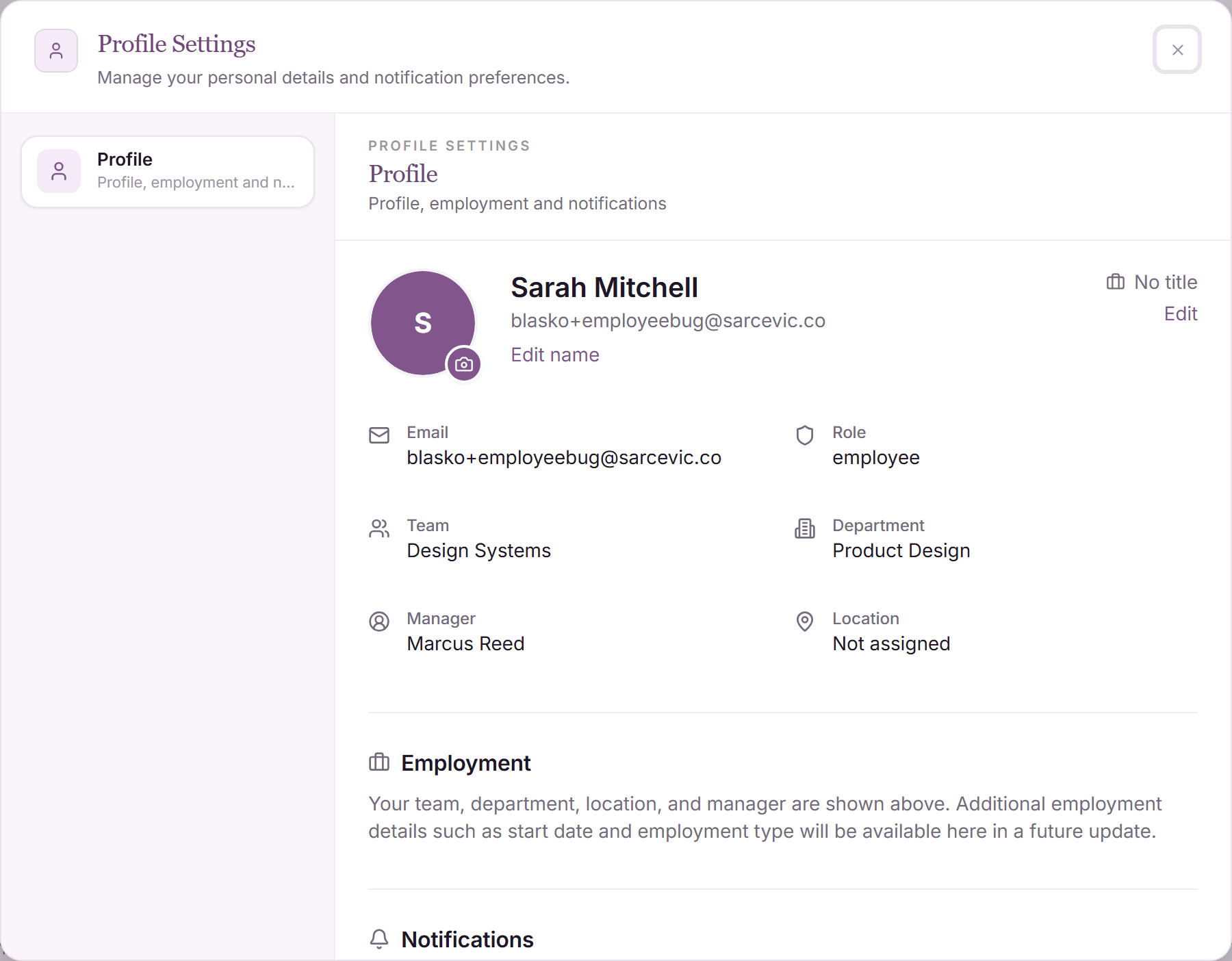
Your profile holds who you are in the company (team, department, location, approver, tags), and your work schedule defines which days count as working days when a request is calculated.
You can view all of it from your dashboard; the organizational fields are maintained by your admin, so what you see always reflects the company's records.
Open your profile
- Click your avatar in the top-right corner of the dashboard.
- Choose the profile entry to open your profile page.
- Review your details: name, e-mail, job title, employee ID, start date, employment type, team, department, location, tags, and your assigned approver.
Organizational fields (team, location, approver, tags, start date) are edited by admins in the People view. Ask your admin if something is out of date.
Your work schedule
The work schedule defines your working days and hours per week. It drives two things you see every day:
- Request math: your non-working days are excluded automatically, so a Monday-to-Sunday request on a Monday-to-Friday schedule charges 5 days, not 7.
- Availability: the team calendar and your manager's dashboard treat your scheduled days off as non-working, not as absence.
Where the rest of your data lives
- Balances and their rules: the dashboard header and the My Policy tab.
- Your requests, sick days, and their statuses: the History tab.
- Your teammates' availability: the My Team tab.
- Notification preferences (e-mail on/off): in your profile settings.
Why your schedule matters for holidays
Public holidays come from the holiday calendar of your location. A holiday only skips the charge when it lands on one of your scheduled working days. On a non-working day nothing changes, because the day was never going to be charged.
Frequently asked questions
- My approver is wrong. How do I change it?
- Approvers are assigned by admins in the People view. Tell your admin (or manager); the change takes effect for all future requests immediately.
- I work part-time. Is that supported?
- Yes. Your schedule can have fewer working days or hours; request calculations and availability use exactly the days configured for you.
- What are the tags on my profile?
- Tags are group labels your company uses to target rules, for example seniority levels that grant additional PTO. The My Policy tab shows which tags currently give you extra days.