Sick leave
Sick leave works differently from vacation: it is unlimited, tracked separately from your paid-time-off balance, and recorded through its own dialog, because illness is not planned and should never compete with your vacation days.
You record sick days from the "Sick Leave" card on the Planning tab of your employee dashboard.
Record a sick day
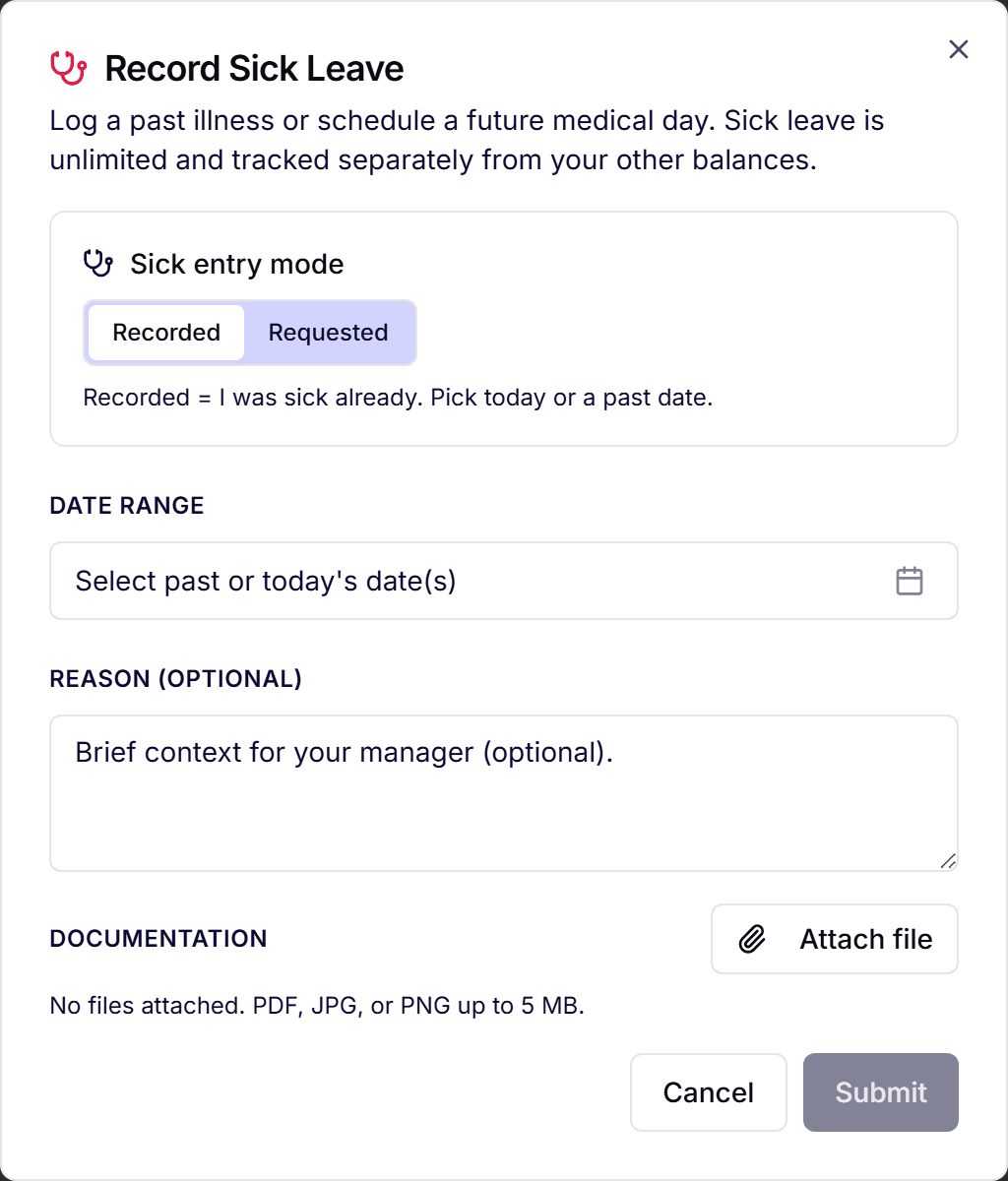
- On the Planning tab, find the "Sick Leave" card and click "Record sick".
- The "Record sick day" dialog opens with today preselected. Adjust the date or range if you were out longer; past dates are always allowed.
- Choose "Full day" or "Half day".
- Optionally add a note and attach a document (for example a doctor's note). Companies can require an attachment above a threshold of consecutive days.
- Click "Record sick day".
No balance check runs: sick leave is unlimited by design and never counts against your PTO allowance.
What happens after recording
- The sick day appears in your History tab and on the team calendar as an absence.
- Your manager is notified: recording is a notification, not an approval flow; short sick days do not wait for anyone's decision.
- The "Sick Leave" card counts your sick days for the current year, purely as information.
Sick leave vs. vacation
- Vacation is requested in advance and approved; sick days are recorded when they happen.
- Vacation draws from your allowance; sick days never touch it.
- Vacation can be blocked by blackout periods or coverage rules; sick days cannot: you are ill when you are ill.
- Both appear in your history and on the team calendar, so availability stays accurate.
Frequently asked questions
- Do I need a doctor's note?
- That depends on your company's setting. When a documentation threshold is configured (for example three or more consecutive days), the dialog asks for an attachment; otherwise it is optional.
- Can I record a sick day for last week?
- Yes. Recording past dates is the normal case for sick leave. Pick the actual dates in the dialog; there is no advance-notice rule.
- Does my employer see why I was sick?
- Only what you write in the optional note. Attached documents are visible to the people who handle absences in your company.