Team calendar and coverage
The manager dashboard answers "who is here right now?" with one formula across the header: Team size + Out today • Pending review = Available now. The team calendar and the Coverage widget put the same truth on a timeline.
Holidays and scheduled non-working days are excluded from Available: someone whose location has a public holiday is non-working, not absent.
The header numbers
- "Team size": active members of the selected team.
- "Out today": teammates with an absence today.
- "Pending review": requests waiting in your queue.
- "Available now": team size minus out today minus non-working (holiday or scheduled day off).
When applicable, a chip explains it: "N non-working today (holiday or scheduled day off): excluded from Available".
The team calendar
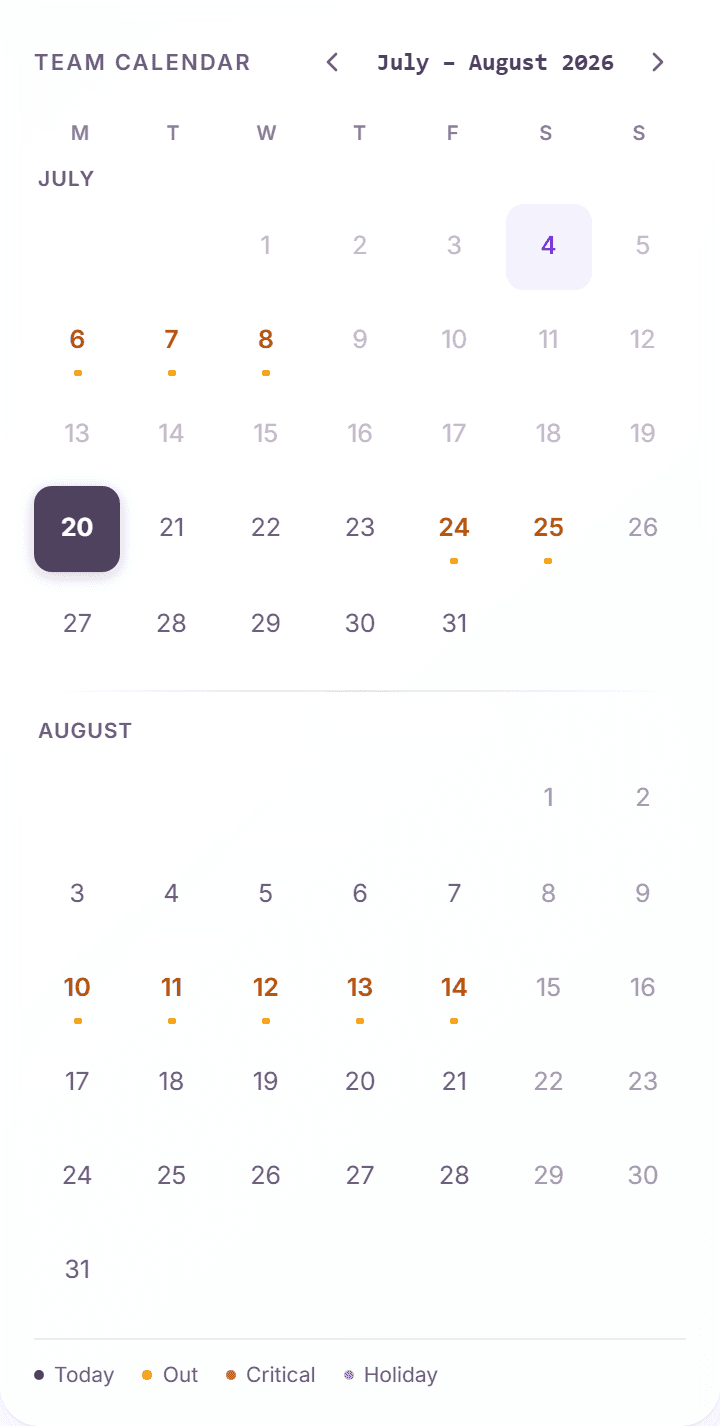
The right rail shows a two-month "Team calendar" with a legend: "Today", "Out", "Critical", and "Holiday". Hovering a day shows exactly what is happening, for example "Holiday: {name}" or "3 people out".
- "Out" days mark approved (and pending) absences.
- "Critical" days mark dates where coverage rules are breached: too many people away at once.
- "Holiday" days come from each person's location holiday calendar.
The Coverage widget
The "Coverage" widget grades upcoming days as "Healthy", "Tight", or "At risk", based on the coverage rules configured for your team. When a rule is breached it names the cause:
- "Below minimum": fewer people present than the configured minimum.
- "Too many off": the maximum simultaneous absences would be exceeded.
- "Blackout breach": an absence falls into a company blackout period.
How coverage affects approvals
The same rules run when you approve: a request that would breach coverage shows a "Coverage Warning" in the approve dialog. You can still approve, the override is deliberate and recorded in the audit log, but never by accident.
Frequently asked questions
- Where are coverage rules configured?
- Admins configure minimum-present and maximum-absent rules per team in the settings. As a manager you see their effect in the Coverage widget and the approve dialog.
- Why does someone show as non-working instead of out?
- Their location has a public holiday, or the day is outside their work schedule. Non-working days are not absences and do not consume anyone's allowance.
- Do pending requests already affect the calendar?
- Yes. Pending absences appear so you can judge overlaps before approving. The coverage grading considers what would happen if pending requests were approved.