Policy inheritance and overrides
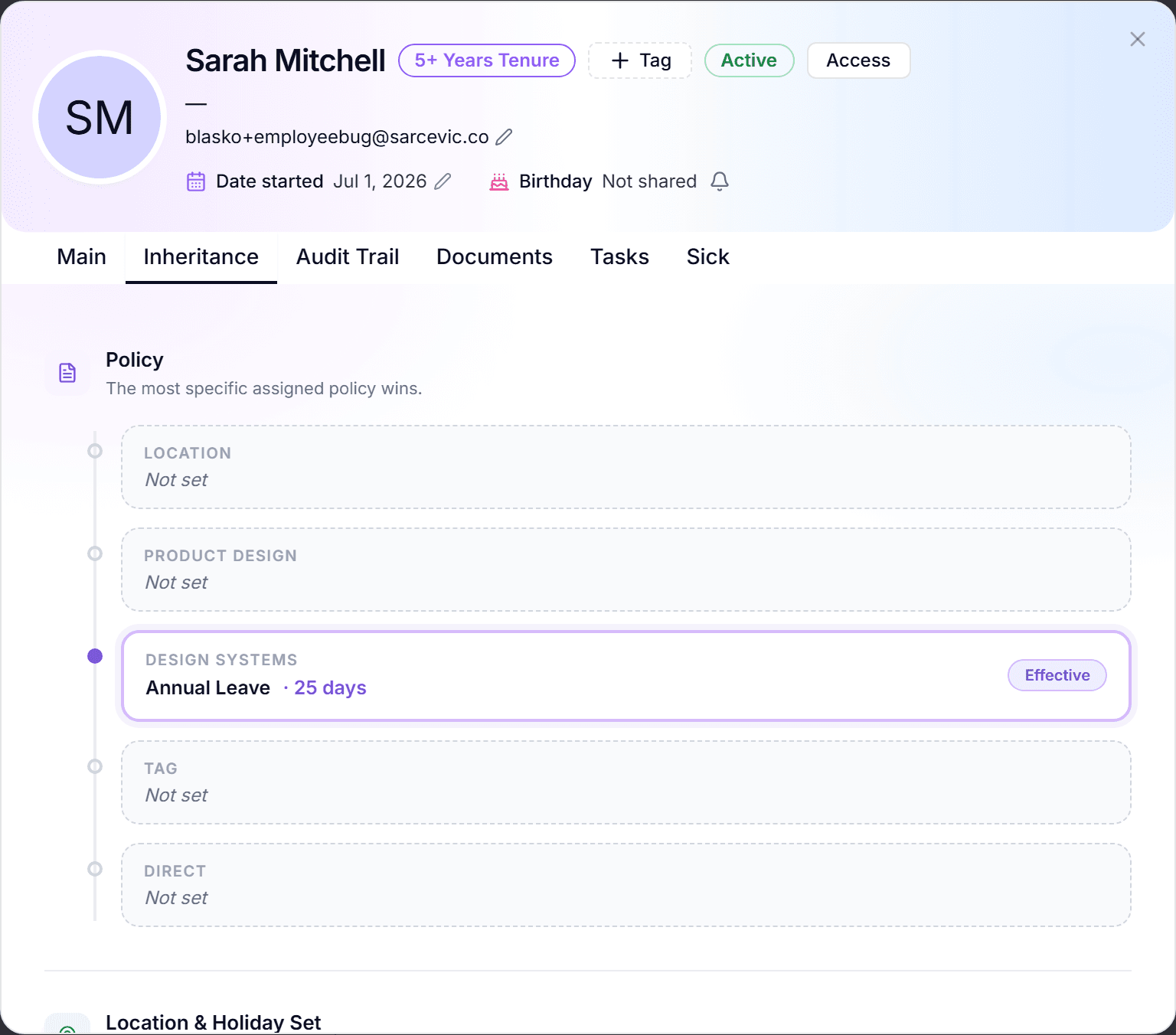
You assign policies to levels of the organization (locations, departments, teams, tags, or individual people), and the system resolves one effective policy per person. When several assignments apply, a fixed priority order decides which one wins.
This article explains the order, where to see the resolution, and how to set or clear a person-level override.
The priority order
From highest to lowest: the first level with an assignment wins:
- Person: a direct assignment always beats everything else.
- Tag: a replacement tag swaps the base policy for everyone carrying it.
- Team: team assignments beat department and location defaults.
- Department: the baseline when no team, tag, or person rule exists.
- Location: the lowest level; the compliance fallback for a region.
Location is deliberately the fallback, not an override: it guarantees a legal minimum when nothing more specific applies. The same order also resolves holiday calendars, approvers, and work schedules.
See what applies and why
- Person profile, Inheritance tab: sections for Policy, Location & Holiday Set, and Tags; the winning source carries the "Effective" badge, overridden sources are shown beneath it.
- Person profile, main tab: a hierarchy tree from Location through Department and Team down to the person, with the attachment cards at each level.
- Department and team dialogs also have an Inheritance tab with the same "Effective" chain.
- Member lists mark each person's policy origin with "Inherited" or "Override" badges.
- Employees see the same truth self-service in the My Policy tab ("Effective source").
Set a person-level override
- Open the person's profile in the People view and edit their policy field.
- The "Assign PTO Policy (Employee Override)" dialog opens. It states plainly that this will override team, department, and location policies.
- Pick the policy (an approval-required filter helps narrow the list) and click "Assign Policy".
- The person's balance recalculates and the Inheritance tab now shows the direct assignment as "Effective".
Clear an override
The same dialog offers "Clear Override". Removing the direct assignment lets resolution fall back down the chain (tag, then team, then department, then location), and the Inheritance tab immediately shows which level takes over.
Frequently asked questions
- Someone has the wrong balance. How do I debug it?
- Open their Inheritance tab. The "Effective" badge shows exactly which assignment wins and where it comes from; nine times out of ten the surprise is a forgotten person-level override or a replacement tag.
- Does a team assignment override a department assignment for everyone in the team?
- Yes. Team beats department for its members. People in the department but outside that team keep the department policy.
- Can project teams carry a policy?
- No. Project teams are reporting-only and show "N/A (project team)" in the policy card; only functional teams participate in policy resolution.