Approval flows
By default a request goes to the person's assigned approver and one decision settles it. Approval chains replace that single step with a sequence (for example team lead first, then HR), configured under Settings, Policy, Approval Chains.
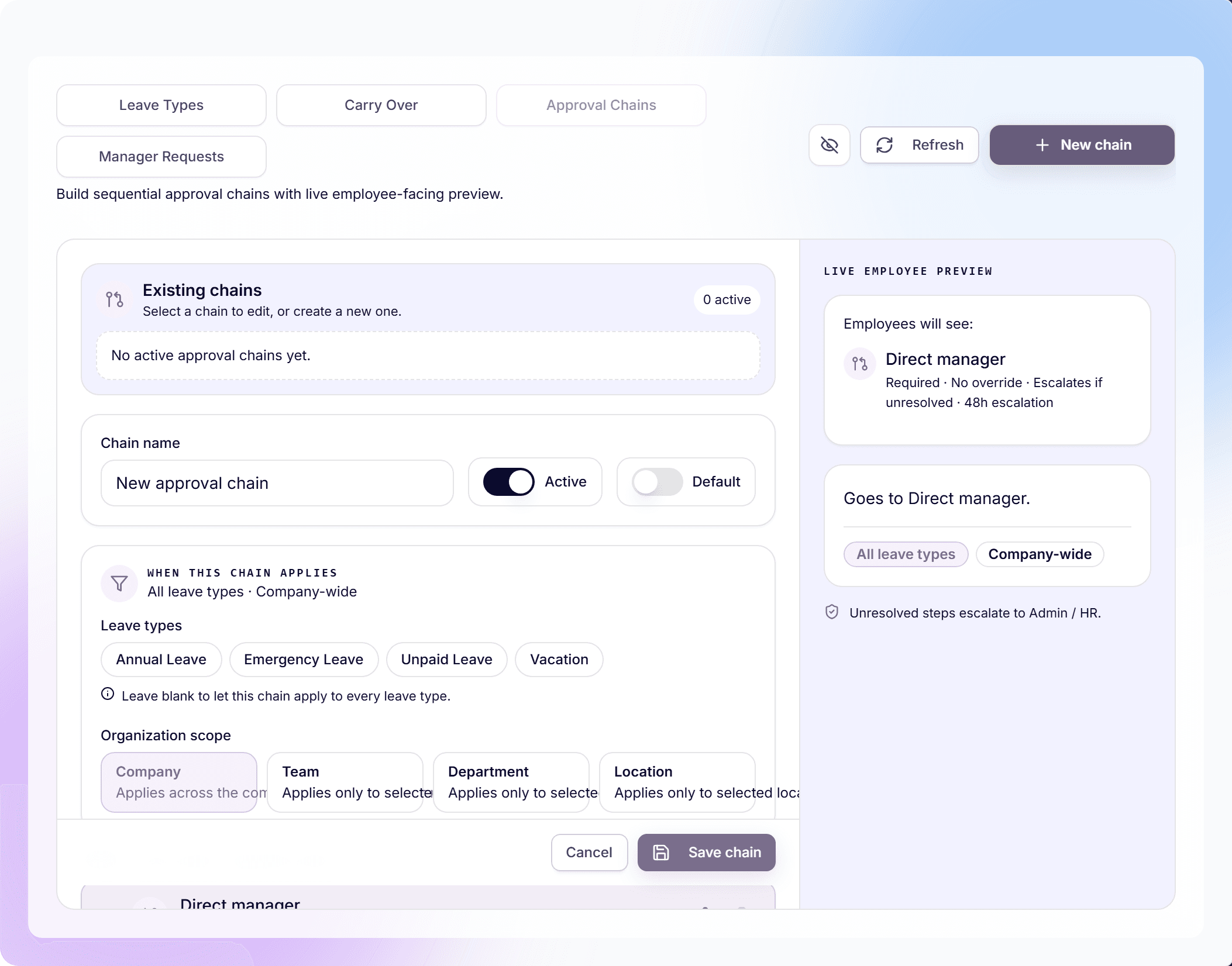
The builder shows a live employee-facing preview while you configure, so you always see the chain the way requesters will.
Create a chain
- Open Settings, Policy, and switch to "Approval Chains".
- Click "New chain". A draft named "New approval chain" appears; rename it.
- Choose the scope: "Company", "Team", "Department", or "Location", optionally narrowed to specific leave types (or "All leave types").
- Add steps in order. Each step names who approves at that stage.
- Toggle "Active" on and click "Save chain".
A company-wide chain applies unless a narrower chain matches: the most specific scope wins, mirroring how policies resolve.
Who can approve a step
Per step you can toggle "Required approval" and "Allow override", and decide what happens when a step's approver cannot be resolved: "Escalate" or "Skip". Reorder with "Move step up" / "Move step down".
- "Direct manager": the requester's own approver, resolved per person.
- "Specific user": one named person, picked with "Choose a user".
- "Department head": the head of the requester's department.
- "Role based": anyone holding a chosen role ("Choose a role").
- "HR manager" and "Company owner": fixed organizational anchors.
What approvers and employees see
- Approvers get the request in their normal queue; the approve dialog shows "Approval progress · step X of Y" and who is next, or "This is the final approval step."
- Only the current step's approver can act; others see "Review" instead of Approve.
- Employees watch the same progress timeline on their pending request.
- Deputy cover slots in per step: an active deputy acts for exactly the step their manager owns.
- Chain decisions carry a "Multi-step" badge in audit logs.
Manager Requests: the other Policy queue
The neighboring "Manager Requests" subview is not about time-off approvals: it is where admins review policy change requests submitted by managers for their teams. Approving one ("Approve and apply" for immediate, "Approve" for next cycle) creates a team-specific copy of the source policy with the requested changes; "Reject" declines it.
Frequently asked questions
- What happens to a request mid-chain when I edit the chain?
- Requests already in flight finish on the chain they started with; new requests use the updated chain. That keeps in-progress approvals predictable.
- Can different leave types have different chains?
- Yes. The leave-type filter on each chain does exactly that. A common setup: single-step for ordinary vacation, a two-step chain for unpaid leave or long absences.
- Do I need a chain at all?
- No. Without an active matching chain, requests use the person's assigned approver as a single step, perfectly fine for most small teams.