Set out of office in Google Calendar
Google Calendar has a dedicated "Out of office" event type, and it does more than a normal event: while it runs, Calendar automatically declines meeting invitations for you, with a message you choose.
Here is how to set it up, when to use it instead of similar-looking features, and how to stop creating it by hand for every vacation.
Create the out-of-office event
- In Google Calendar on the web, click "Create", then choose "Out of office" (or click the first day of your absence and switch the event type to "Out of office").
- Set the start and end date. For a vacation, drag across the full range rather than creating one event per day.
- Choose the decline behavior: "New meeting invitations only" or "New and existing meetings". For a vacation you usually want both.
- Edit the decline message so people know when you are back and who covers for you.
- Click "Save". Anything the event overlaps is declined automatically.
The same works in the Google Calendar mobile app: tap the plus button and choose Out of office.
Out of office, working hours, or vacation responder?
- The "Out of office" event blocks your calendar and auto-declines meetings. Use it for full days away: vacation, sick leave, travel.
- "Working hours & location" tells colleagues when and where you normally work. It never declines anything; it is a routine, not an absence.
- The email vacation responder lives in Gmail, not Calendar (Gmail settings, then Vacation responder). Set it separately if you also want automatic email replies.
Let approved leave create the block for you
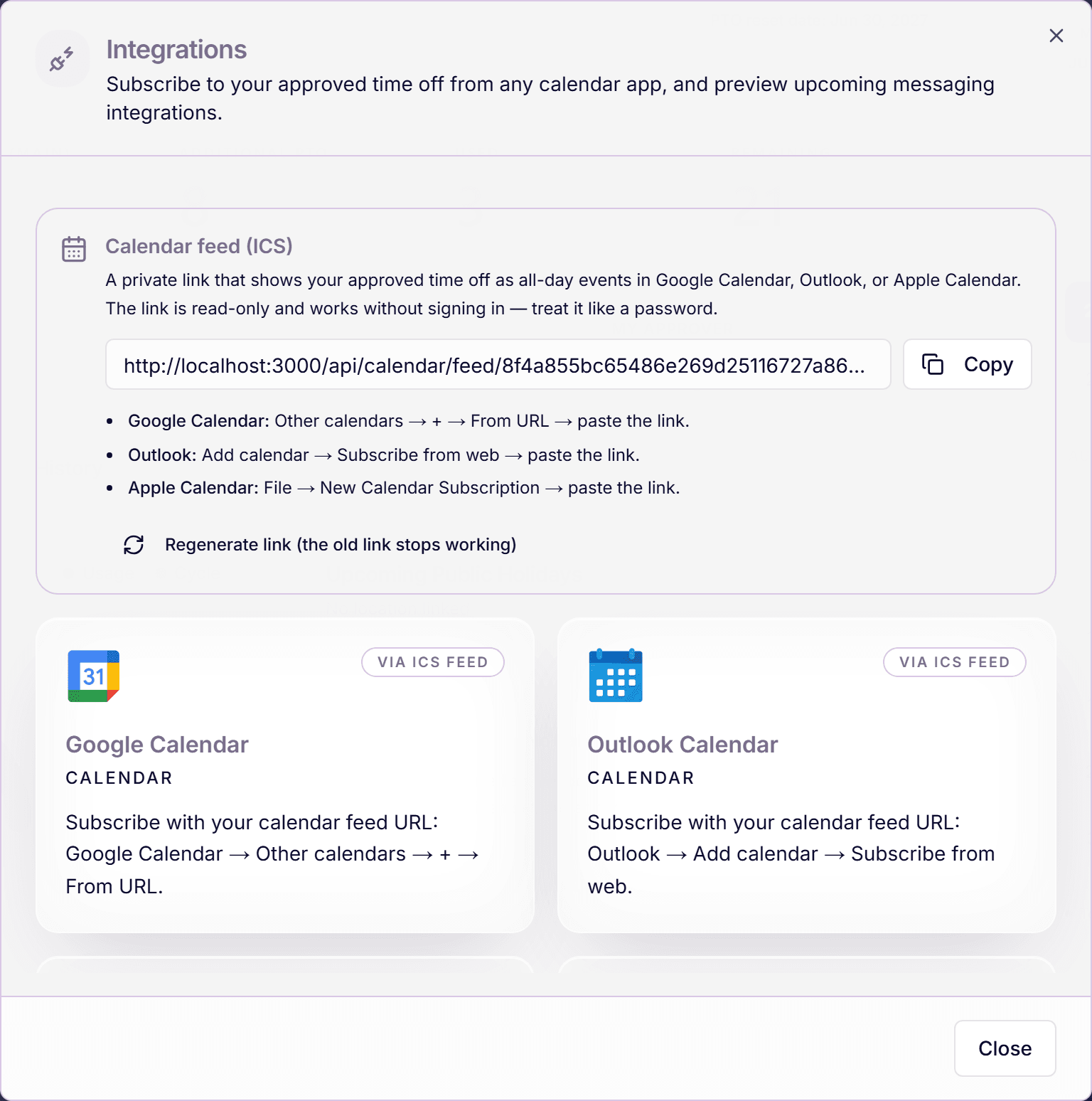
If your team tracks leave in Time Out Zone, you do not have to recreate the calendar block for every trip. Subscribe once to your personal ICS calendar feed and every approved absence appears in Google Calendar as an all-day event, automatically.
In Google Calendar, open "Other calendars", click the plus, choose "From URL", and paste your private feed link.
The ICS subscription adds visible all-day events; it does not auto-decline meetings. For the decline behavior, keep using the Out of office event type on top of it when you want invitations rejected.
Frequently asked questions
- Why do I not see the Out of office option?
- Check that you are creating the event in Google Calendar itself, signed in with the right account. Some tightly managed workspaces restrict event types, and very old calendar apps may not offer it; the web version is the reliable place.
- Does out of office in Google Calendar send automatic email replies?
- No. The Calendar event declines meeting invitations only. Automatic email replies come from Gmail's vacation responder, which you switch on separately in Gmail settings.
- Can my approved time off appear in Google Calendar by itself?
- Yes. Subscribe to your private ICS calendar feed from Time Out Zone once; Google Calendar then shows every approved absence as an all-day event. Google refreshes subscribed calendars on its own schedule, so a new approval can take a few hours to show up.